
Test Viewer: Folder System
Organize your exercises and flashcard decks into folders in Test Viewer.
Folders make organizing exercises and question decks much easier, just like on your personal computer. Test Viewer features independent folder systems for tests and flashcard decks. For example, an “A1” folder can exist to store tests without existing for flashcard decks. You can create folders inside other folders to build multi-level hierarchies.
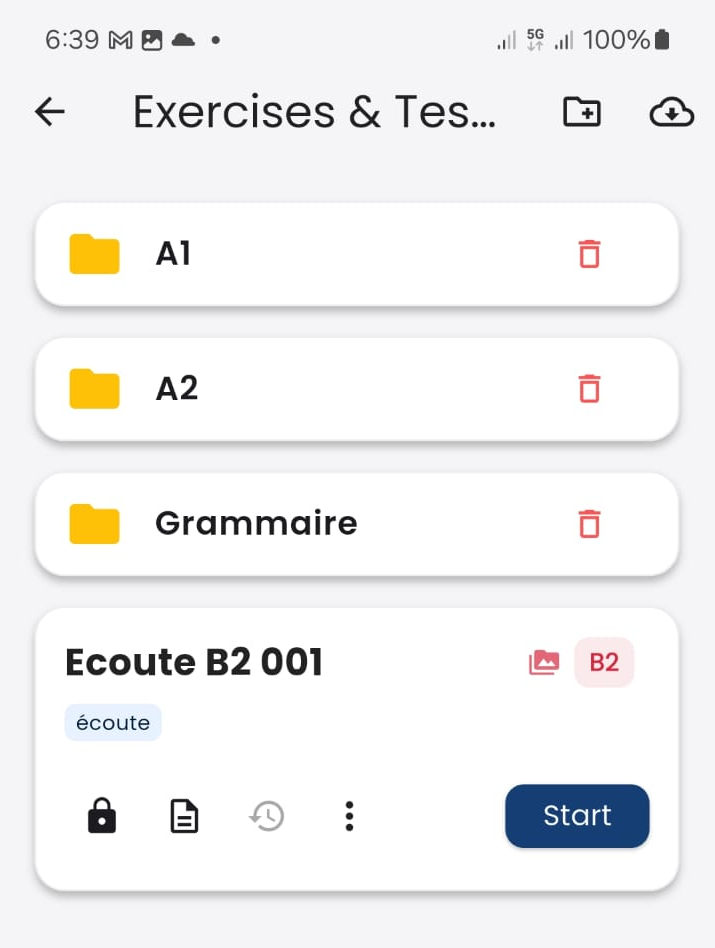
The image displays three folders: A1, A2, and Grammaire. Clicking on any of them opens its contents.
The green arrow points to the button used to create a new folder.
Moving a File
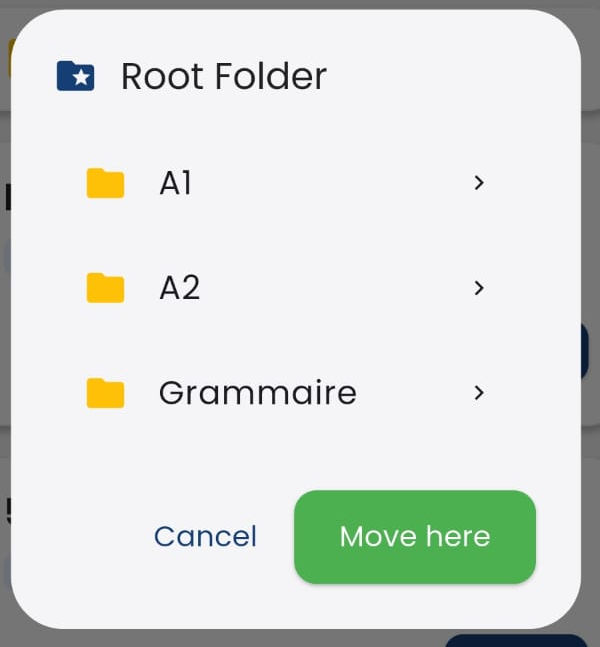 As explained in other sections of this tutorial, the menu for tests and flashcard decks includes a "Move" option that allows transferring the file to any available folder.
Tapping the “Move” button opens a dialog where you can navigate the folder hierarchy. Once you select the desired destination folder, click the “Move here” button.